
Short answer: StreamLadder is a clipping tool built for Twitch and Kick streamers: its AI (ClipGPT) finds clips in your stream, and its editor turns them into vertical TikToks, Reels and Shorts that you can post and schedule from the same place. Moltum is an AI video editor that turns the whole stream into a long, story-ordered YouTube video and makes Shorts from the same recording. If you mostly post vertical clips, StreamLadder fits well and costs less. If you want a full YouTube episode from your stream, that's what Moltum is built for.
Want to see the output first? Example edit: a 2h 44m Twitch stream turned into a 20-minute video with one request (source, request, Shorts and edit notes included).
What each tool makes
StreamLadder: clips for TikTok, Reels and Shorts
StreamLadder describes itself as: paste your stream URL, AI finds your best clips, edit in minutes. On Creator and Pro, ClipGPT imports Twitch and Kick streams by link and returns up to 30 fully edited clips per stream; its site says it looks at funny reactions, chat interactions and intense highlights. The clip editor has face cam layouts, captions, stickers, text to speech and silence removal. A Montage Maker combines edited clips into one video, which the pricing page also describes as creating a YouTube video from your stream.
Moltum: a long YouTube video plus Shorts from one request
Moltum is an AI video editor for long recordings. You paste a Twitch, Kick or YouTube link or upload a file (up to 40 GB), write what you want in your own words and choose a target length. It edits the recording into a long YouTube video in story order, keeping sentences whole, and makes vertical Shorts from the same recording, along with thumbnails, chapters, a YouTube title and description, ad break markers and subtitle files.
Side by side
| StreamLadder | Moltum | |
|---|---|---|
| Main output | Vertical clips; clips can be combined into a montage | A long YouTube video in story order plus vertical Shorts |
| Sources | Twitch and Kick streams by link (ClipGPT); clip import from Twitch, Kick, Trovo and YouTube; uploads 200 MB free, 2 GB paid | Twitch, Kick or YouTube link, or an upload of up to 40 GB; up to 10 files combined into one video |
| Free plan | Basic clip editor, 720p30, no watermark on basic edits; no ClipGPT | Up to 3 videos from 5 hours of source in total, 720p with watermark, 2 Shorts per video |
| Paid plans | Starter $15, Creator $27, Pro $39 a month ($150, $270, $390 a year) | Creator $29 (25 h), Pro $59 (60 h), Studio $149 (180 h) a month, net; a 5% payment fee and VAT are added at checkout |
| How usage is counted | No hour cap; ClipGPT unlimited within fair use | Hours of source recording |
| Top quality | 1080p60 Starter and Creator, 4K60 Pro | 1080p60 Creator, up to 1440p Pro, up to 4K Studio |
| Posting to social platforms | Post and schedule to TikTok, YouTube, Instagram, Facebook (X on Pro) | You download the files and post them yourself |
| YouTube extras | Clip-focused | Thumbnails, chapters, title and description, ad break markers, SRT/VTT |
StreamLadder details are from streamladder.com and its pricing page as shown on 28 November 2026 (prices as of Nov 2026); Moltum prices and limits are on the pricing page. Both can change, so check before you subscribe.
When StreamLadder is the better pick
- Your channel grows on TikTok and Reels. Its whole workflow, from clip finding to the editor to scheduling, is built around vertical clips.
- You want to post everywhere from one place. It posts and schedules to TikTok, YouTube, Instagram and Facebook, and X on Pro. With Moltum you download the Shorts and post them yourself.
- You want a hands-on clip editor. Layouts, stickers, captions and text to speech give you fine control over each clip.
- You stream a lot and want a flat price. StreamLadder says a six-hour stream costs the same as a one-hour stream; ClipGPT is unlimited within fair use from $27 a month.
- You want a free tier without a watermark for basic edits.
When Moltum is the better pick
- You want a real YouTube episode. A montage strings highlights together; Moltum edits the stream in story order, connects the moments and keeps sentences whole, so the video can be watched start to finish.
- You want to say what to keep. Write "keep the boss fight and the chat argument, cut the queue, 20-30 minutes"; anything that couldn't be done shows up under Not applied with the reason.
- You start from YouTube VODs or big files. Moltum takes a public YouTube link and uploads up to 40 GB.
- You want the YouTube package. Thumbnails, chapters, title, description and ad break markers come with every video.
- You finish in your own editor. Export the cut to Premiere Pro, DaVinci Resolve or Final Cut.
- Chat still counts. Moments when Twitch or Kick chat picks up get priority, and you can also get Shorts while you're still live (paid plans).
Which should you choose?
Choose StreamLadder if vertical clips are your main output and you want an editor plus scheduling for every social platform at a flat price. Choose Moltum if you want your stream turned into a long YouTube video that tells a story, with Shorts, thumbnail and chapters from the same request. Some streamers use both: a clip tool for daily Shorts and a long-form editor for the weekly upload. If you do, keep an eye on the total cost.
How to test both on the same recording
Demo videos always look good; the real question is what happens with your own footage. A fair test takes one evening:
- Pick an ordinary recording, not your best day. That's where you see how each tool handles the slow parts.
- Write your own list first. Note three or four moments that must be in the result, then look for them in both outputs.
- Give the same instructions to StreamLadder and to Moltum: what to keep, what to cut, how long, which tone.
- Watch the results to the end. Do the moments connect, are sentences complete, does the opening hook you in the first seconds?
- Ask each for one change, such as removing a moment or adding one back, and see how quickly you get exactly what you meant.
Doing it with Moltum
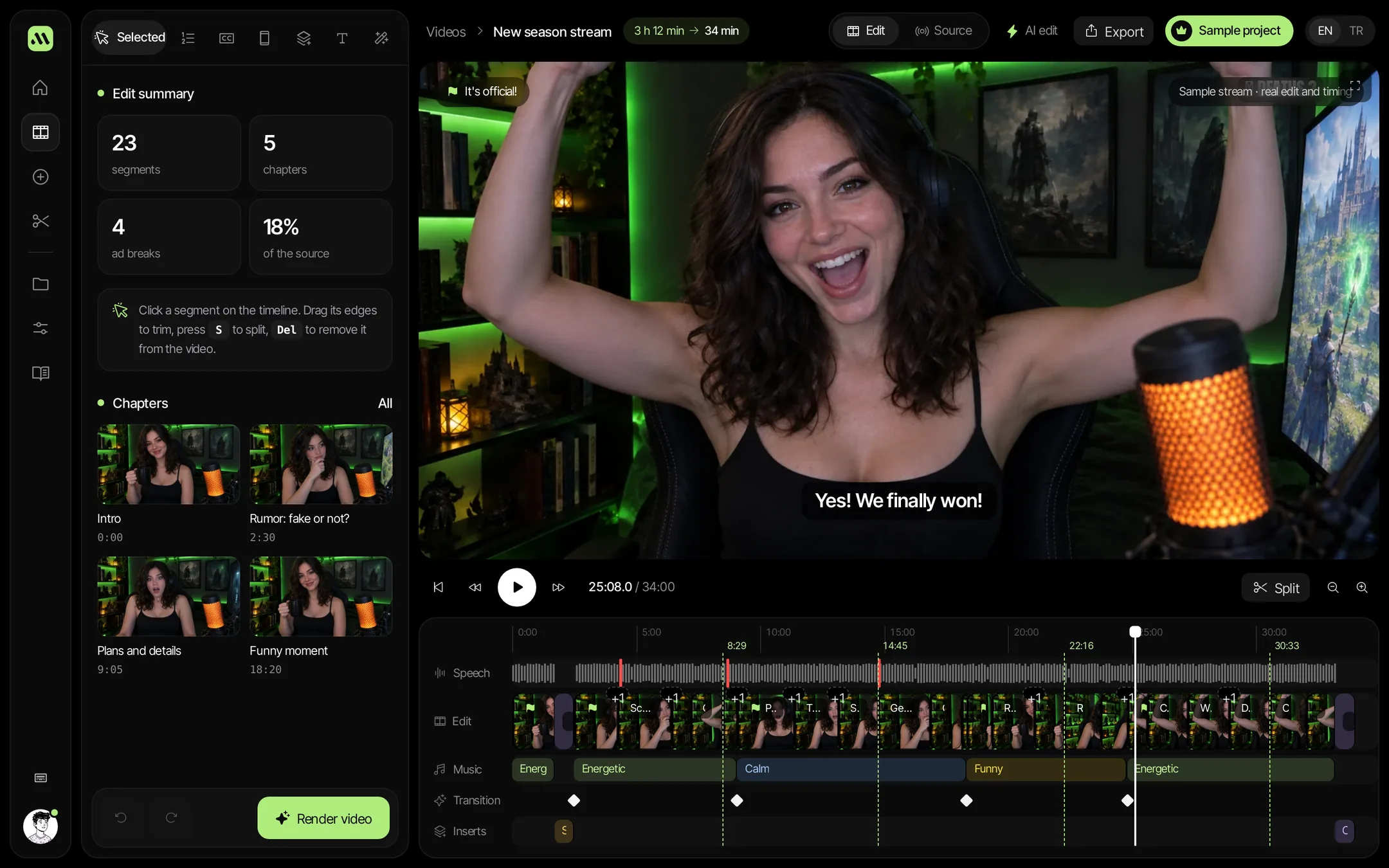
- Start: paste a Twitch, Kick or YouTube link or upload the file, write your request and pick Long video + shorts.
- Review: the video page has the long video, Shorts, thumbnail options, chapters and ad break timestamps.
- Fix: write a note and press Regenerate (the first 2 AI revisions on each video are free on paid plans, the first one on the free plan), or use Open in editor.
How Shorts are framed and captioned is in Shorts and clips.
Frequently asked questions
Is Moltum a StreamLadder alternative?
For Shorts from streams, yes: Moltum makes vertical Shorts with captions and face cam layout. The bigger difference is that Moltum also delivers a long YouTube video edited in story order, with thumbnails and chapters.
Can StreamLadder make a long YouTube video?
Its Montage Maker combines edited clips into one video, which its pricing page calls creating a YouTube video from your stream. Moltum edits the stream itself into a long video with a beginning, middle and end, at the length you choose.
Which is cheaper?
For clips alone, StreamLadder: ClipGPT starts at $27 a month with no hour cap. Moltum's Creator plan is $29 net for 25 hours of source, plus a 5% payment fee and VAT, and includes the long video, Shorts and YouTube extras.
Do both work with Kick?
Yes. StreamLadder imports Kick streams by link on Creator and Pro. Moltum accepts Kick links on every plan and can edit new Kick streams automatically on paid plans.
How much can I test on Moltum's free plan?
The free plan gives 5 hours of source in total, split across up to 3 videos, with no card. That's enough to run one or two real recordings through it and compare. Free videos come out at 720p with a watermark and up to 2 Shorts each, and the first AI revision on each video is free. See Plans and quota.